Amazon MCP Servers for Sellers: What Exists, and How to Look Up Products from Claude
A year ago, asking an AI assistant about your Amazon business meant copying data out of one tab and pasting it into another. The assistant could reason about what you gave it, but it could not go and get anything.
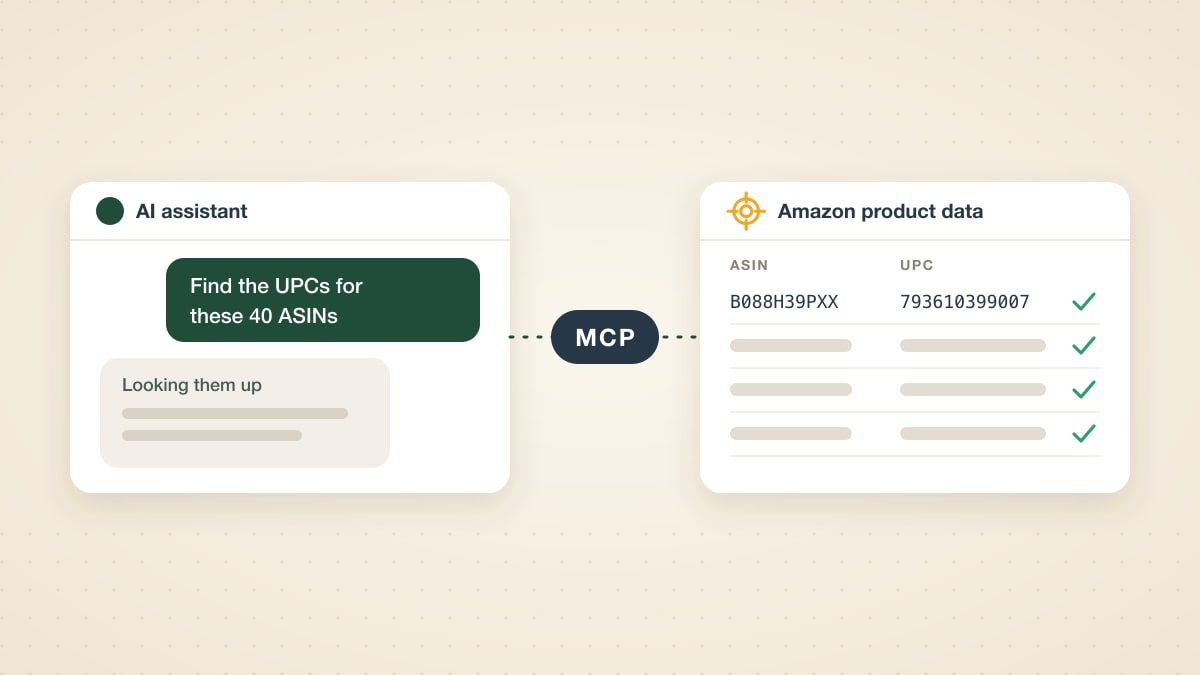
MCP changes that. With an MCP server connected, you can type "find the UPCs for these 40 ASINs" into Claude and get a table back, because the assistant runs the lookups itself.
Searches for "Amazon MCP" have grown about sixfold in the past year, and most of what comes up is confusing: developer tools from AWS, advertising announcements, and a long tail of community projects. This article sorts it out. It covers what an Amazon MCP server is, which kinds exist for sellers as of November 2026, and how to set one up for product lookups, step by step.
What is an Amazon MCP server?
MCP stands for Model Context Protocol. It is an open standard, introduced by Anthropic in late 2024, that lets an AI assistant use outside tools: look something up, run a report, fetch a file. Claude, ChatGPT, Cursor and many other assistants support it.
An MCP server is the piece that offers those tools. An Amazon MCP server is one whose tools work with Amazon data: your ad campaigns, your seller account, or the product catalog.
One thing to clear up early. If you search for "Amazon MCP server", much of the first page is about AWS: MCP servers for cloud infrastructure, built for software developers. Those have nothing to do with selling on Amazon. Everything below is about the marketplace side.
Does Amazon have its own MCP server?
Yes, for advertising. Amazon announced the Amazon Ads MCP Server on February 2, 2026. Amazon describes it as available globally in open beta to Amazon Ads partners with active API credentials. It covers creating, updating and deleting campaigns, performance and reporting queries, account settings, and billing data, and Amazon names Claude, ChatGPT and Gemini among the assistants it works with.
For the Selling Partner API (SP-API), the picture is different. Amazon publishes a "Local MCP for SP-API" in its SP-API samples repository. It is a tool for developers who build SP-API integrations: API reference, code samples, a workflow builder. Amazon labels it an example, not a supported product. It is not a ready-made way for a seller to chat with their Seller Central account.
So Amazon covers ads itself, gives developers a starting point for SP-API, and leaves the rest to third parties.
The three kinds of Amazon MCP servers
Every Amazon MCP server for sellers falls into one of three groups. They answer different questions and need different credentials, so it helps to know which one you are looking for.
| Kind | What it works with | Who offers it | What you need |
|---|---|---|---|
| Advertising | Your campaigns, budgets and ad reports | Amazon (open beta), plus ad tool vendors | Amazon Ads API credentials |
| Seller account | Your orders, inventory, listings and sales, through SP-API | Third-party hosted services and open-source projects. Amazon offers only a developer sample | Your own SP-API app and authorization |
| Product data | The public catalog for any product: identifiers, price, rank | Data providers such as ASINScope, plus community projects | An API key from the provider |
Can you connect Claude to Amazon Seller Central? Yes, with a server from the second group. Be careful which one you pick. A seller-account server holds credentials that can read your orders and, depending on the permissions you grant, change your listings. Check who runs it, where your credentials are stored, and what permissions it asks for before you connect anything.
Is there a Keepa MCP server? Not from Keepa itself, as far as we could find in November 2026. There are community-built servers that wrap the Keepa API. They are free to install, and you supply your own paid Keepa API key.
The third group is the one this article walks through. Product data is what you need for sourcing and catalog work: turning a list of ASINs into barcodes, matching a supplier file to Amazon listings, checking what Amazon has on record for a product. It needs no access to your seller account at all.
Product lookups from Claude: setting up the ASINScope MCP server
We run a product-data MCP server at ASINScope. It gives an assistant two tools:
lookup_productslooks up products by ASIN, UPC or EAN on any of 13 Amazon marketplaces. For each product it returns the UPC and EAN codes (including every barcode Amazon lists for it), the manufacturer part number, title, brand, category, Best Sellers Rank, lowest new price, package dimensions and images.get_token_balanceshows how many lookups you have left today. It is free to call.
It is the same data and the same account as the ASINScope API. The MCP server is a second way in, for people who would rather ask than write code.
Step 1: Get an API key
The server uses an ASINScope API key. API plans start at $25 a month for 1,000 lookups a day; the plans page has the details. Your key is in the API dashboard once a plan is active.
Step 2: Connect your assistant
The server address is:
https://api.asinscope.com/mcp
In Claude Code, one command adds it:
claude mcp add --transport http asinscope https://api.asinscope.com/mcp \
  --header "x-api-key: YOUR_API_KEY"
In Cursor, add it to .cursor/mcp.json:
{
  "mcpServers": {
    "asinscope": {
      "url": "https://api.asinscope.com/mcp",
      "headers": {
        "x-api-key": "YOUR_API_KEY"
      }
    }
  }
}
Some apps only give you a box for a server URL, with nowhere to put a header. For those, add the key to the address: https://api.asinscope.com/mcp?key=YOUR_API_KEY. Use the header version where you can, because a key inside a URL is easier to leak in a screenshot or a log.
The MCP documentation has the full reference.
Step 3: Ask
That is the whole setup. Now ask in plain language:
Convert B088H39PXX to UPC and EAN, and tell me the brand and current lowest price.
The assistant calls lookup_products and answers with what it found. For that ASIN, on the day we wrote this:
| ASIN | UPC | EAN | Brand | Lowest new price | Best Sellers Rank |
|---|---|---|---|---|---|
| B088H39PXX | 793610399007 | 0793610399007 | CUKU | $25.99 | 437 |
The numbers come from the lookup, not from the model's memory. That matters: an assistant without a tool will happily invent a barcode that looks right.
Four jobs sellers use it for
1. Bulk ASIN to UPC or EAN. Paste a list of ASINs and ask for a table or a CSV. The assistant sends them in batches and assembles the result. For a one-off list this is quicker than opening a tool; for a file with thousands of rows, the free ASIN to UPC converter is still the faster route.
2. Matching a supplier price list to ASINs. Give the assistant the UPC column from a wholesale price list and ask which products are on Amazon, at what price, and with what rank. This is the classic UPC to ASIN job with the analysis attached: you can ask follow-up questions about the result in the same conversation. If your supplier file has no barcodes at all, that is a different problem, and we wrote about it in matching a price list without barcodes.
3. Checking your own catalog. Ask the assistant to compare the barcodes in your product file with what Amazon lists for each ASIN and flag the mismatches. A wrong barcode on a listing is cheap to catch here and expensive to catch after a shipment is rejected.
4. Looking at another marketplace. Ask whether a product you sell in the US is listed on amazon.de or amazon.co.uk, and at what price. The same lookup works across all 13 marketplaces by naming the country.
A prompt that works well for the bigger jobs:
Here are 60 UPCs from my supplier. Check my ASINScope balance first and tell me what this will cost. Then look them up on amazon.com and give me a table: UPC, ASIN, title, lowest new price, Best Sellers Rank. Mark any UPC that matches more than one listing.
What it costs
Lookups are paid for in tokens, and the MCP server charges exactly what the API charges:
- An ASIN lookup costs one token.
- A UPC or EAN lookup costs one token per listing it returns. One barcode can belong to several listings (a single unit, a 2-pack, a 6-pack), so a barcode lookup can cost more than one token.
- A code that matches nothing still costs one token.
- Checking your balance is free.
The Basic plan includes 1,000 tokens a day and Pro includes 10,000. Every answer the assistant gets back includes what the request cost and what is left, so you can ask it to keep a running total.
What it does not do
A few limits, so there are no surprises:
- It is product data only. It does not see your orders, inventory or ad campaigns. For those you need a seller-account or advertising server from the table above.
- Long lists take a while. The assistant sends up to 10 codes per request, and each plan has a short-term rate limit. When the limit is reached, the server tells the assistant how long to wait, and it continues after that.
- The assistant can still misread a result. A barcode that returns four listings needs a decision about which one is yours, and pack sizes are the usual trap. Ask for the raw table and spot-check it before you buy on it.
- Apps that require a sign-in flow are not supported yet. The server takes an API key. An app that can only connect through an OAuth login cannot use it today.
Frequently asked questions
Does Amazon have an MCP server?
Yes, for advertising: the Amazon Ads MCP Server has been in open beta since February 2026 for Amazon Ads partners with API credentials. For seller account data, Amazon offers only a developer sample for SP-API, not a product for sellers.
Can I connect Claude to Amazon Seller Central?
Yes, through a third-party MCP server that uses SP-API with your authorization. Hosted services and open-source projects both exist. Check who operates the server and what permissions it gets before you connect your account.
Is there a free MCP server for Amazon sellers?
The open-source ones are free to install, but they run on your own credentials: an SP-API app for account data, or a paid Keepa API key for price history. The ASINScope server needs an API plan, which starts at $25 a month. If you only need to convert codes now and then, the web converters on ASINScope are free to use.
Does this work with ChatGPT?
We have tested it with Claude Code and Cursor. It follows the standard MCP protocol, so other assistants that let you add a remote MCP server by address should work, using the address with your key in it. Assistants that insist on an OAuth sign-in will not work yet.
What is the difference between an MCP server and an API?
An API is for programs: a developer writes code that calls it. An MCP server is for assistants: it describes its tools in a way an AI model can read, so the model decides when to call them. Ours is the same service behind both. If you are building software, use the API. If you want answers in a chat, use the MCP server.
What does the server see?
Only what a lookup needs: the product codes the assistant sends and your API key. It does not see the rest of your conversation or your files.
Try it
If you already use ASINScope, your API key works with the MCP server today: add the address to your assistant and ask your first question. If you are new, the API plans page is the place to start, and the MCP documentation has every detail of the setup.
